


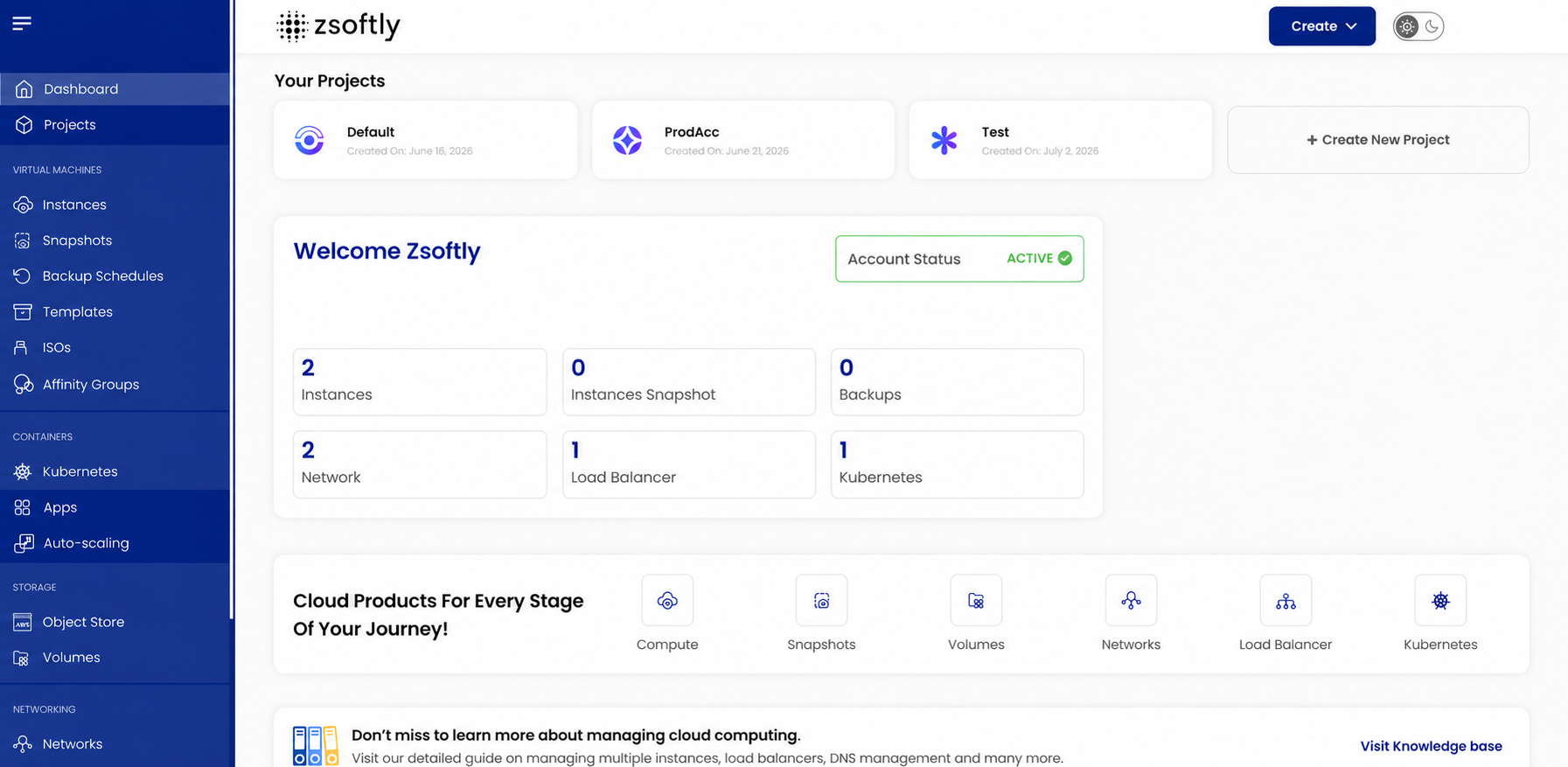
Most cloud consoles ask you to learn the provider before you get to your own work.
You open a console to launch a server. You end up reading about service tiers, resource groups, identity models, and six naming conventions before the first VM exists. The tools grew faster than the experience of using them.
ZCP takes the other position. Sign in, pick a project, launch what you need, and see what it costs. The interface should stay out of the way.
This post explains how the ZCP portal is organized and the product rules behind the experience.
Projects are the organizing unit
A flat list of resources works until you have twelve of them.
On ZCP, projects organize the resources used by each workload. A project holds its instances, storage, network rules, and DNS zones. Teams use projects to separate production from test, one client from another, or one internal product from the rest of the company.
The separation is real, not cosmetic. Each project gets its own DNS namespace, so records stay inside the project you put them in. When you create a zone, the first field asks which project owns it.
Picking the project first means the rest of your work inherits the right context. You stop asking which environment a server belongs to, because the answer sits in the navigation.
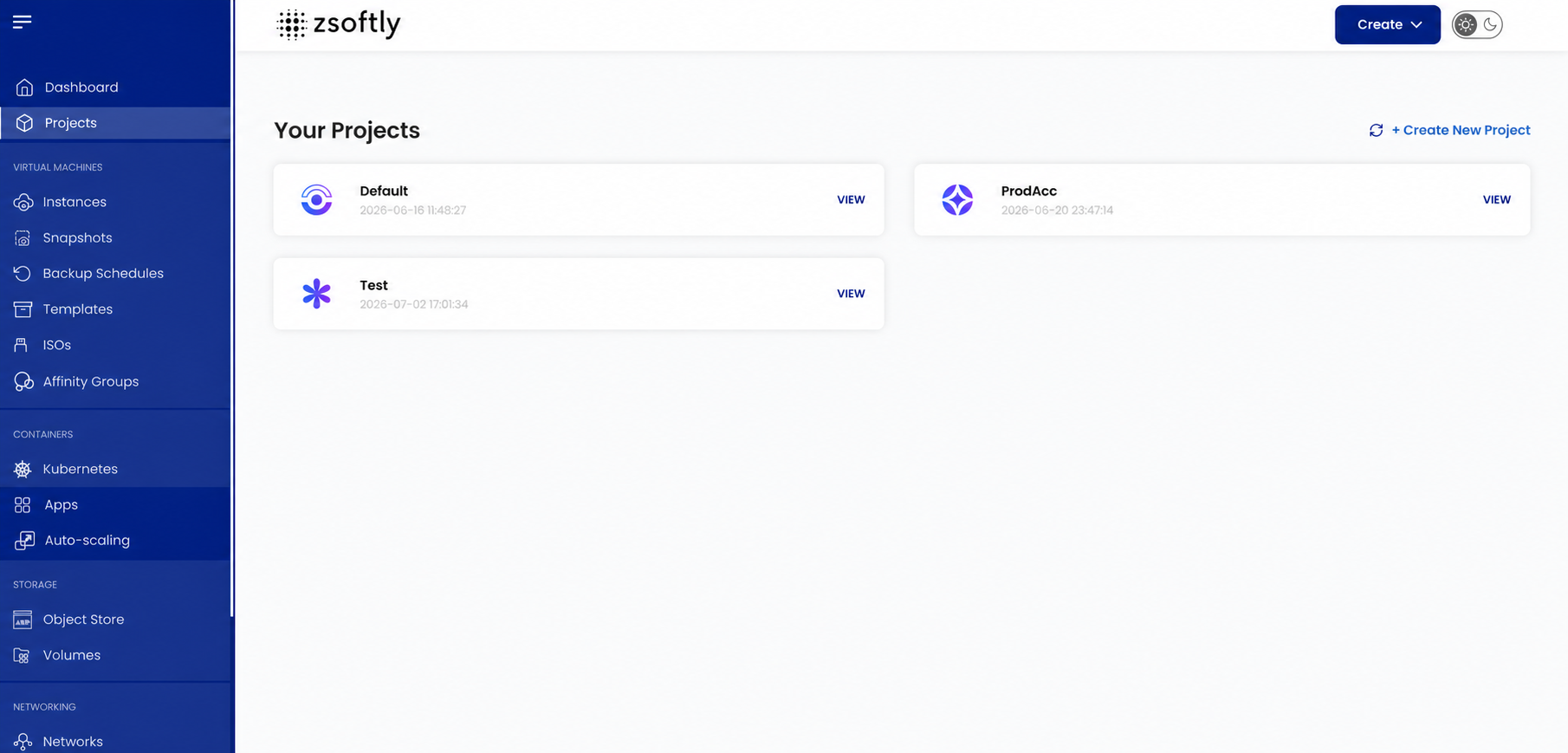
The project view keeps environments visible and gives each one a clear place to start.
One account for compute, storage, network, and DNS
Open the portal at cloud.zcp.zsoftly.ca. The left-hand navigation groups compute, storage, networking, DNS, and billing in one place.
Compute. Create a VM, choose the region, choose the plan, and attach an SSH key. Instances run in YUL-1 in Montréal and YOW-1 in Ottawa. Both regions are live. YUL-1 carries production workloads. YOW-1 gives teams another Canadian region for development and testing.
Marketplace apps. During instance creation, open the Marketplace Apps tab and pick a prepared image with a version selector. The catalog currently includes 64 application images, including PostgreSQL, GitLab, Keycloak, Grafana, and Ollama. The marketplace article covers the catalog and what happens on first boot.
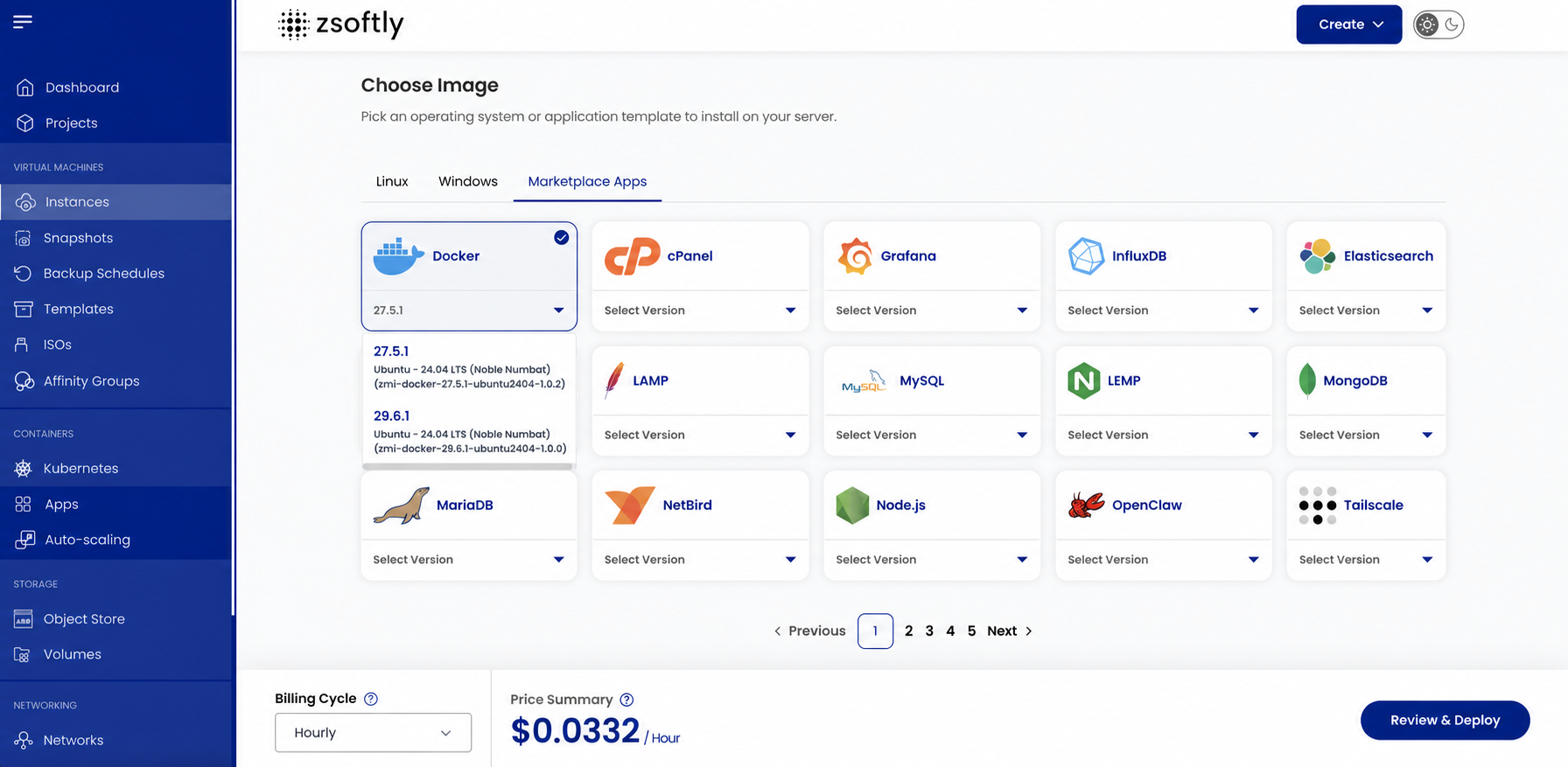
The Marketplace Apps view lets you choose the software and version before deployment.
Storage. Attach block volumes to instances for data you keep. Use S3-compatible object storage for backups, artifacts, and static assets, with o2 on SSD in Montréal and o1 on HDD in Ottawa.
Networking. Set firewall rules, manage public IPs, and decide what the internet reaches. Nothing opens itself.
DNS. Managed DNS ships with every project. Add a domain, delegate it to ns1.zsoftly.ca and ns2.zsoftly.ca, and edit records from the portal or the REST API. There is no per-zone licence and no per-query charge. The DNS walkthrough shows the three-step setup.
Billing. Usage, credits, and invoices sit in Canadian dollars. Data transfer in and out is free and unmetered, which removes per-GB transfer charges from your bill.
One account. One bill. One set of credentials. No stitching four vendors together to run a single application.
Pricing you read before you commit
Cloud bills become hard to forecast when compute, storage, and data transfer appear as separate, usage-based charges.
ZCP publishes plan pricing on the pricing page. The portal shows the plan you selected and the account credit you hold. Eligible new accounts receive CA$100 in launch promotional credit, valid for 30 days. Promotions offer up to CA$300 in promotional credit total through December 31, 2026. For Prepaid accounts, you make a minimum CA$1.00 verification payment. The amount is added to your Prepaid account credit and remains available to spend. After you use the promotional credit or it expires, billing continues in the Prepaid or Postpaid mode you selected at signup. That choice is permanent for the account.
Predictable pricing is a product feature. It belongs in the interface, not in a quote.
The portal is not the only interface
Some work belongs in a browser. Repeated work belongs in code.
ZCP provides REST APIs for managing core infrastructure resources. We also publish the ZCP Terraform and OpenTofu provider in the OpenTofu registry. Infrastructure teams define instances, storage, and DNS records as code.
Use the portal to explore, to fix something at 2 a.m., or to onboard a colleague. Use the API and the provider when the same environment has to exist three more times.
A console with no automation path traps you. An automation path with no console slows down everyone who is new. ZCP ships both.
You keep the parts you should keep
Simple does not mean hidden.
ZCP gives you the VM, the network, the storage, the images, and the documentation. You keep root on your servers, full SSH access, your firewall decisions, your domain records, your backup policy, and your hardening baseline.
This line matters. A platform hiding the workload from its owner leaves your team unable to debug its own systems. Our marketplace documentation states where credentials land, which ports open by default, and what each first-boot service does. You get the shortcut and the explanation.
The rules behind the interface
We treat the console as product surface, not packaging. Five rules guide what we build into it.
Show ownership. Resources belong to projects, and the interface says which one. Answer ownership questions from the screen, not from a spreadsheet.
Name things once. A plan, a region, and a storage class use the same name in the portal, on the pricing page, in the docs, and in the OpenTofu provider. Translation between surfaces wastes your time.
Make the state honest. A running instance reads as running. A restricted port reads as restricted. A credit balance reads as the balance. We would rather show a plain fact than a reassuring summary.
Keep actions repeatable. Anything worth doing in the portal is worth doing again next quarter. If a flow resists repetition, the flow needs the fix, not your team.
Document the boundary. The docs state where our responsibility ends and yours begins, per service. Support conversations start from a shared picture.
None of this requires you to know how the platform runs internally. Good infrastructure work is boring on the surface by design.
What this gives your team
The portal is built around six outcomes:
- fewer vendors for one application
- resources grouped by project instead of a flat list
- a price read before deployment, not after
- storage, DNS, and firewall rules in the same account as the VM
- a documented path from the console to code
- Canadian regions, Canadian billing, and a support team you reach directly
The portal is where you experience the platform every day. It earns trust or loses it in small moments: a status label, a clear price, a form asking the right question first.
We keep working on those moments.
Start with one project
Create an account, open a project, and explore the ZCP portal. Launch a VM in YUL-1 or YOW-1, or add a marketplace image if the software you need is in the catalog.
Create an account, browse the Marketplace, read the documentation, or talk to us about a private cloud environment for your organization.