ZSoftly

Welcome, LowEndSpirit members

A Canadian VPS with root access and the tools to run your own stack.

ZSoftly Cloud Platform (ZCP) is a developer-first cloud platform with virtual machines in Montréal, published CAD pricing, full root access, and API control.

Store backups, media, and app assets in S3-compatible object storage buckets.

Start with CA$100 at sign-up. Purchase at least CA$200 in Prepaid credit at signup for an instant LowEndSpirit match, capped at CA$500.

LowEndSpirit sign-up offers

Start with CA$100. Add a match with LES.

Shh... a little extra for LowEndSpirit members. Keep your regular CA$100 sign-up credit and get an instant match on a signup Prepaid top-up of CA$200 or more.

LES-only match

Add CA$200. Get CA$300 in bonus credit.

Includes CA$100 welcome credit and an instant CA$200 match: CA$500 total, including your payment. Add CA$200 or more at Prepaid signup; the 100% match is capped at CA$500.

Top up at signup by January 31, 2027. Excludes the CA$200 spend bonus.

Standard sign-up credit

Receive CA$100 in sign-up credit.

Get CA$100 in promotional credit at signup. After spending CA$200 on eligible services, request another CA$200 by email. That's up to CA$300 in promotional credit.

The standard offer runs through December 31, 2026. The LowEndSpirit campaign includes the CA$100 credit through January 31, 2027.

Know another LowEndSpirit member who might use this? Tell them about this page.

Montreal VPS plans

Start with the resources your workload needs.

These examples use AMD plans in YUL-1. Prices show on-demand monthly compute in Canadian dollars.

See network costs

ca2s.xs

$7/mo

On-demand compute price

vCPU
1
Memory
1 GB
Root disk
40 GB Premium SSD
Create account

ca2s.s

$15/mo

On-demand compute price

vCPU
1
Memory
2 GB
Root disk
60 GB Premium SSD
Create account

ca2s.m

$32/mo

On-demand compute price

vCPU
2
Memory
4 GB
Root disk
80 GB Premium SSD
Create account
Know the full cost. Compute is billed separately from network services. An Isolated network costs $3/mo and a VPC network costs $3/mo. Each includes one SourceNAT public IP. Additional public IPv4 addresses cost $3/mo.

Developer-first by design

Use the portal when it is convenient. Automate when it matters.

ZCP offers a Terraform and OpenTofu provider, the ZCP CLI, and documented APIs for building and managing supported platform resources.

Terraform and OpenTofu

Define supported infrastructure resources in code and keep deployments repeatable.

ZCP CLI

Manage resources from the terminal and use table, JSON, or YAML output in scripts.

Platform APIs

Integrate the cloud platform and object storage through their documented APIs.

Preview the platform

See the cloud portal and marketplace before you sign up.

Create a VM from the portal, choose a ready-to-deploy marketplace image, and manage the resources in your account.

See marketplace picks
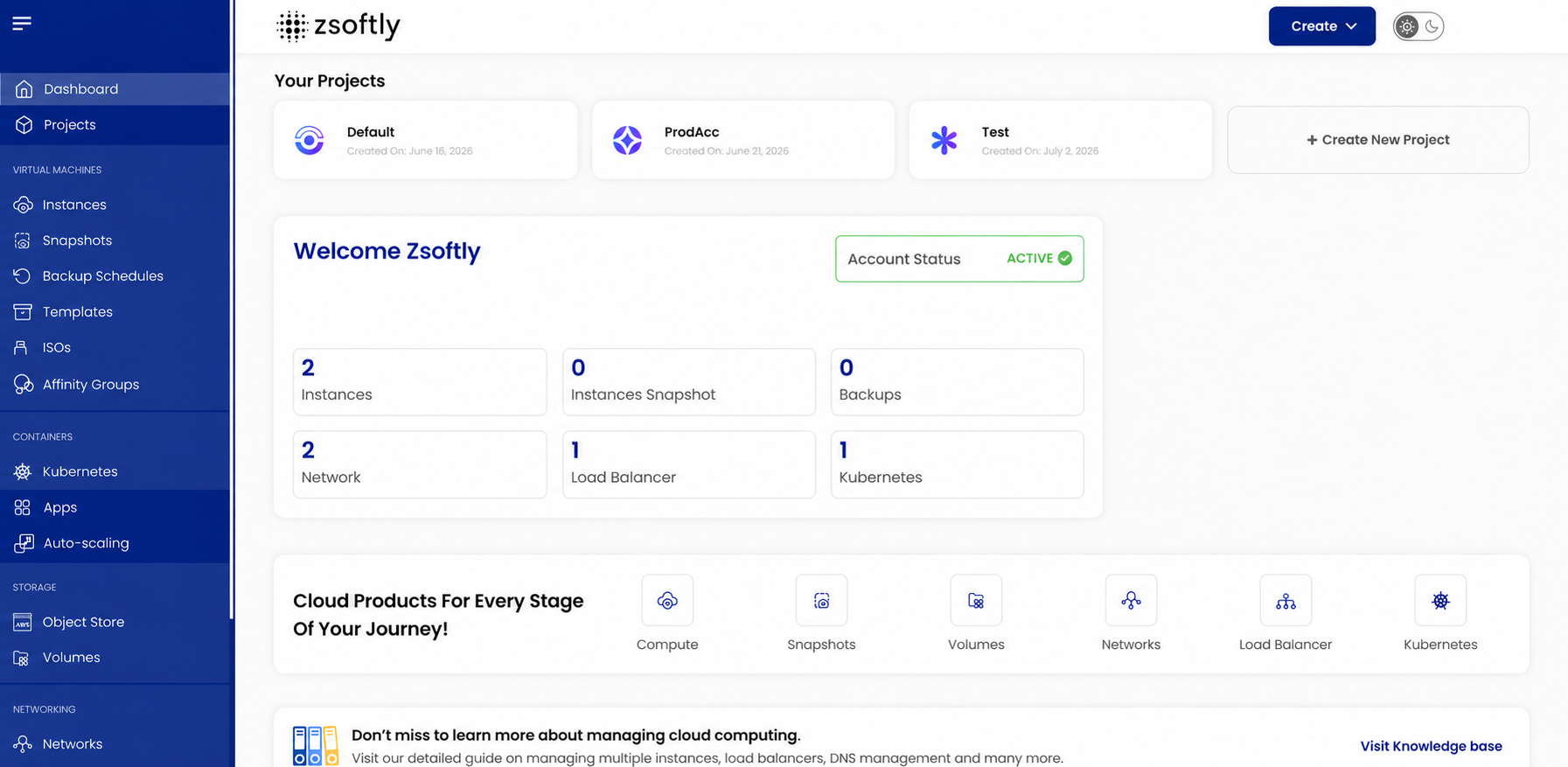
ZCP cloud portal dashboard showing project, compute, and billing areas.

Cloud portal dashboard

Review your account, projects, and cloud services from the portal.

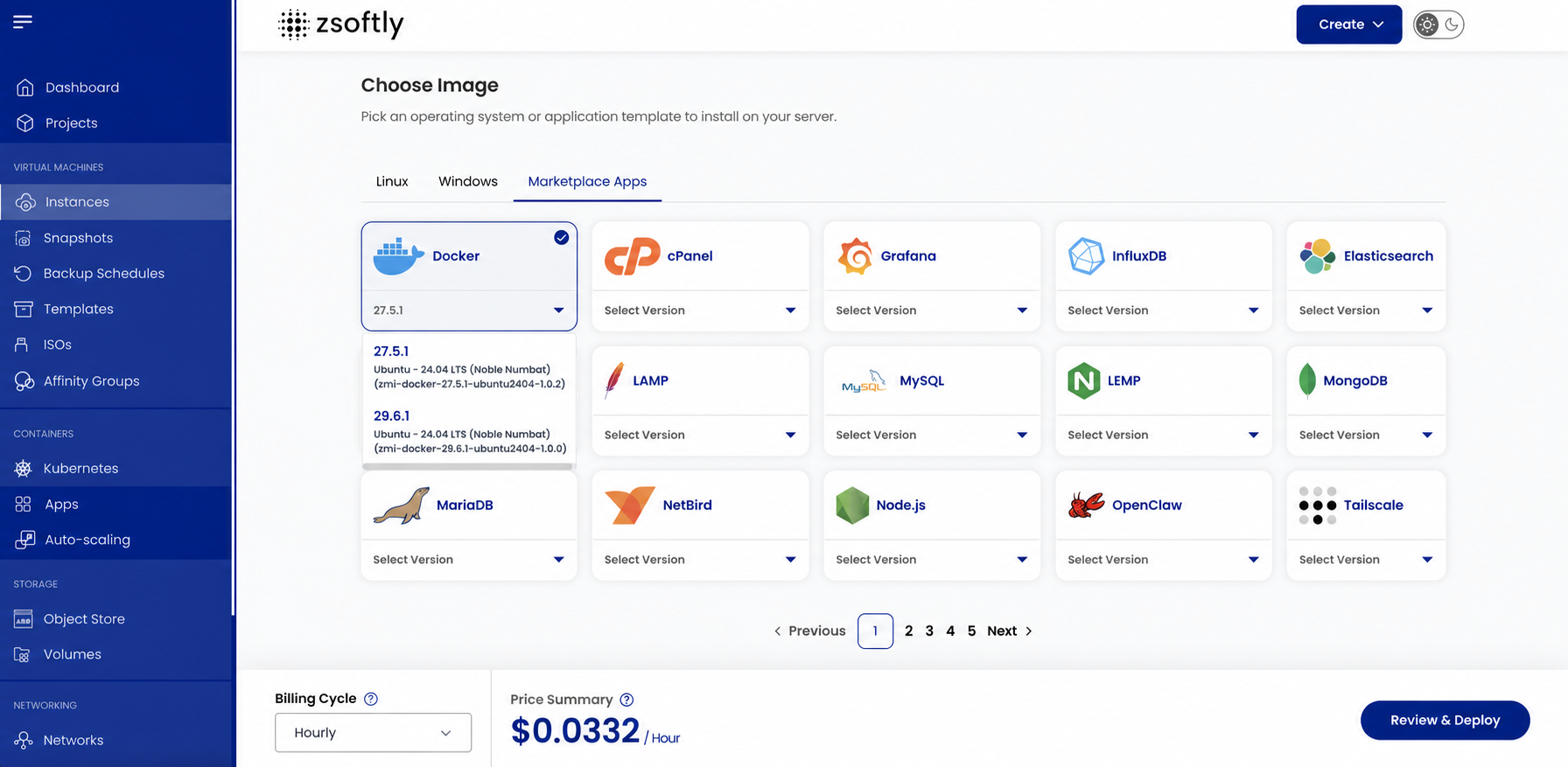
ZCP cloud portal marketplace showing ready-to-deploy application images.

Marketplace catalogue

Choose a pre-configured image when you create a virtual machine.

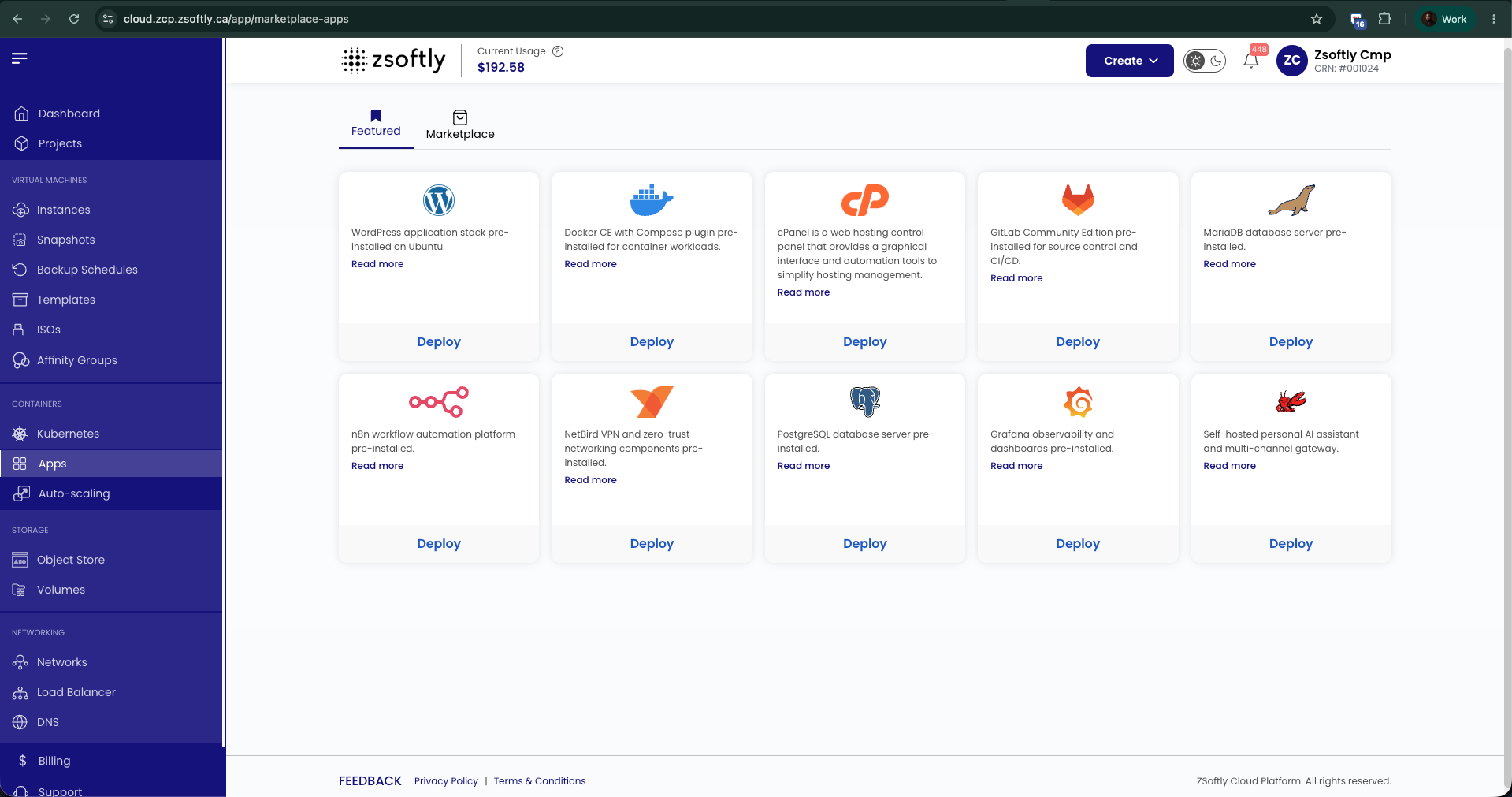
ZCP Marketplace Apps catalogue showing a selection of deployable applications.

Marketplace app selection

See examples of the applications available through the marketplace.

Screenshots are previews of the portal and catalogue. Available images and portal details change over time.

Marketplace picks

Start with an app that fits the workload you have in mind.

These examples show common self-hosting workloads. Confirm each app’s requirements before deploying.

Websites and hosting

WordPress

A content management system with Apache, MariaDB, and PHP included.

cPanel

A web-hosting control panel with WHM. A separate cPanel licence is required.

Containers and DevOps

Docker

Ubuntu with Docker CE and Docker Compose ready for container workloads.

GitLab CE

Git repository hosting, CI/CD, issue tracking, and a container registry.

AI and automation

n8n

A visual workflow automation platform for connecting apps, APIs, and services.

OpenClaw

A self-hosted personal AI assistant and multi-channel gateway.

Databases

PostgreSQL

A relational database with advanced data types and standards support.

MariaDB

An open-source relational database and drop-in MySQL replacement.

Private networking

NetBird

A preinstalled client for joining your existing NetBird network.

Tailscale

A preinstalled client for connecting this VM to your Tailscale network.

Monitoring

Grafana

Dashboards for metrics, logs, and traces.

Uptime Kuma

A self-hosted tool for monitoring websites, APIs, TCP ports, and more.

The marketplace contains 70 apps in total, including the examples above.

See platform previews

Run what you know

A practical home for personal services, development, and small production workloads.

Personal services

Host a site, a VPN, a monitoring endpoint, or a service you want to administer yourself.

Development workloads

Run a staging environment, build runner, API, database, or container host. Manage it through the ZCP API or Terraform.

Backups and assets

Pair compute with S3-compatible object storage for backups, media, and deployment artifacts.

Questions before you start

Straight answers on access and billing.

Do I get root access?

Yes. You receive root access to administer the VM. Choose an operating-system image, connect to the server, and manage it yourself.

How does billing work after signup?

Both billing modes require a minimum CA$1 verification payment for KYC. We immediately credit this payment to your account. With Prepaid, fund your account before provisioning. Eligible Postpaid services are billed after use and require a saved credit card. Your billing mode remains fixed for the account.

How does the instant LowEndSpirit bonus work?

Create a new Prepaid account and purchase at least CA$200 in account credit during sign-up with a valid credit card. We immediately add a 100% matching bonus, capped at CA$500, on top of your CA$100 welcome credit. The CA$100 signup credit is included throughout this campaign and is valid for 30 days from issue.

CA$200 paid credit + CA$300 promotional credit = CA$500 total. CA$300 paid credit + CA$400 promotional credit = CA$700 total. CA$500 paid credit + CA$600 promotional credit = CA$1,100 total. Each total includes your payment.

Make your first top-up by January 31, 2027. The separate CA$200 spend bonus does not apply to this campaign.

How do the standard signup credit and spend bonus work?

Eligible new accounts receive CA$100 in sign-up credit, valid for 30 days from issue. After spending CA$200 on eligible services, request an additional CA$200 by emailing info@zsoftly.ca from your account email address. Include your account number and use the subject “$200 Credit Request”. The additional credit is valid for 60 days from issue, for up to CA$300 in total promotional credit.

Request the spend bonus by December 31, 2026. See thePromotional credit termsfor eligibility and exclusions. After the credit expires or is used, standard rates apply under your chosen billing mode. LES customers keep the CA$100 signup credit, but the separate CA$200 spend bonus does not combine with the LES match.

ZSoftly Cloud Platform

Bring your next server to Montréal.

Create an account, select the billing mode that fits, and choose a VPS from the ZCP portal.

Create your ZCP account

Cloud portal dashboard

ZCP cloud portal dashboard showing project, compute, and billing areas.
Review your account, projects, and cloud services from the portal.

Marketplace catalogue

ZCP cloud portal marketplace showing ready-to-deploy application images.
Choose a pre-configured image when you create a virtual machine.

Marketplace app selection

ZCP Marketplace Apps catalogue showing a selection of deployable applications.
See examples of the applications available through the marketplace.